
Live coordinates for GeoGuessr.
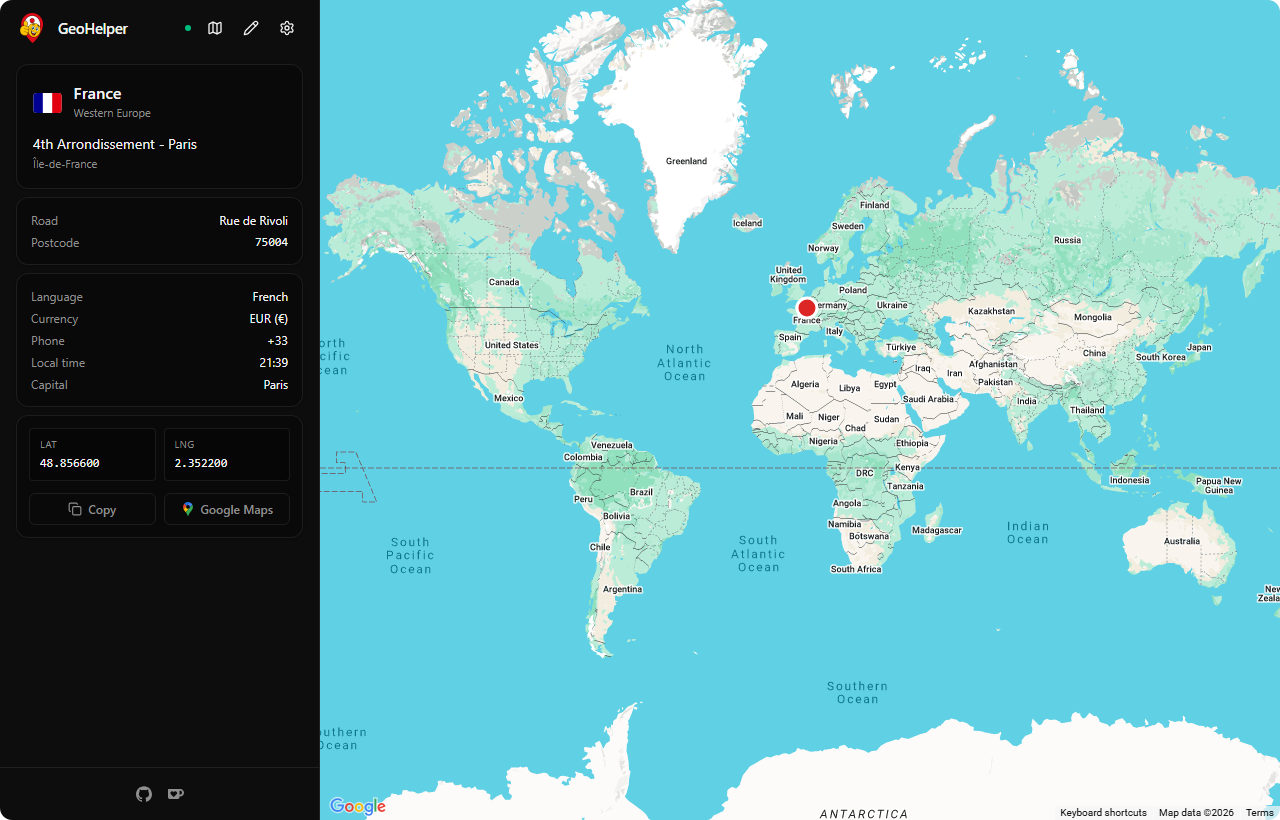
A tiny desktop helper that reads GeoGuessr's own traffic and tells you where the current Street View actually is. No browser extension, no scripts inside the game.
MIT · around 6 MB · no installer required
Small app, full kit.
Everything you need to practice geography, nothing you don't.
No API keys needed
Six map providers work out of the box. Google Maps is optional.
Native and fast
Built with Rust and Tauri. Cold-starts in under a second, around 6 MB.
Three platforms
Windows installer, Linux packages, and separate macOS builds for Apple Silicon and Intel.
Rich location info
Flag, country, region, neighbourhood, road, postcode when available.
Nothing injected
Reads CDP traffic the game already makes. No patches, no hooks, no DLL.
Open source, MIT
Read the code, fork it, or send a pull request. The desktop app has no telemetry.
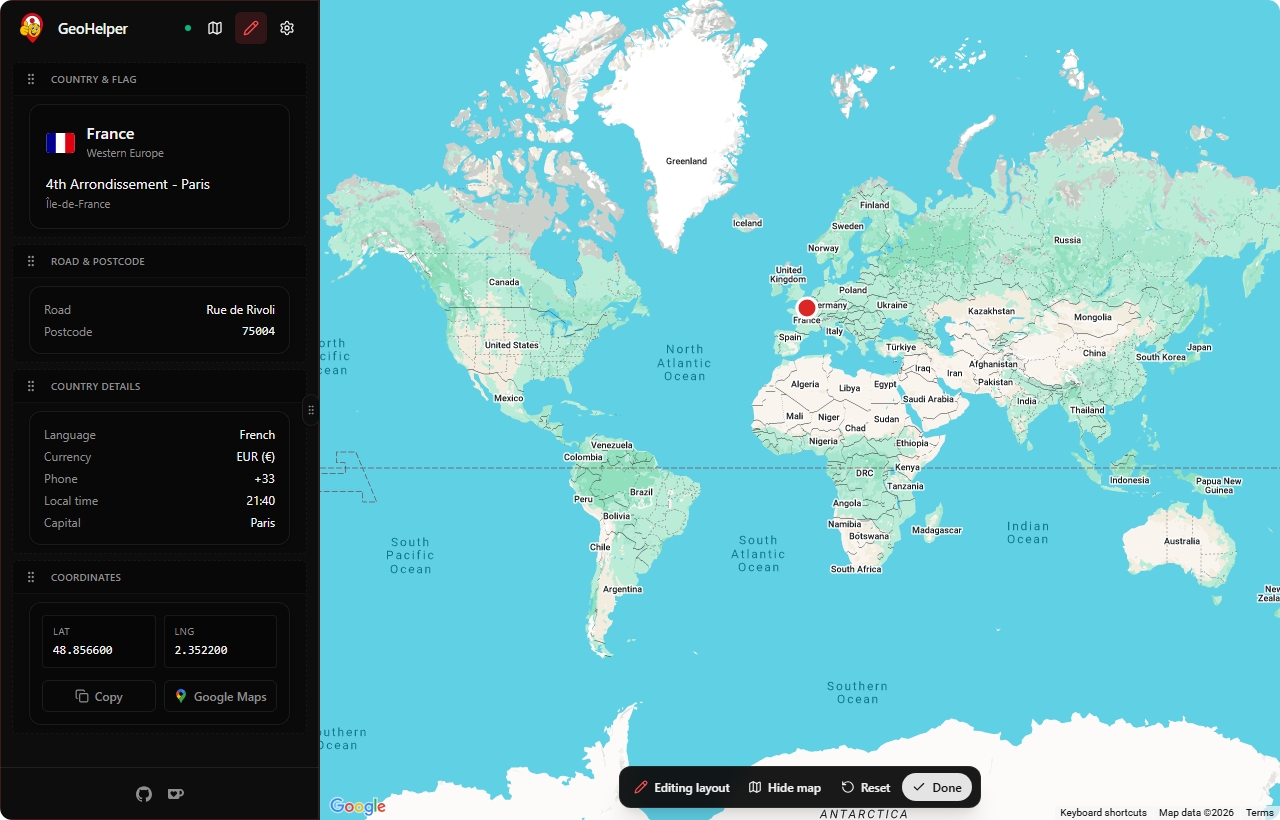
Make it yours.
Hit the pencil icon and the sidebar becomes a canvas. Drag sections around, change colors and sizes per widget, hide what you don't need.
- Drag to reorder every section
- Custom colors, bold, font size per widget
- Hide everything except what you want to train
Three steps, one minute.
Up and running before your next round.
Right-click GeoGuessr in Steam, Properties, Launch Options, paste:
--remote-debugging-port=34788 --remote-allow-origins=*Questions we actually get asked.
Will I get banned?
If you use it in ranked or online multiplayer, eventually yes. GeoHelper is built for solo play, custom maps and training. Read GeoGuessr's ToS.
Does it work on Mac and Linux?
Builds are produced for all three OSes, with separate macOS downloads for Apple Silicon and Intel Macs. On Arch-based distros like Arch Linux and CachyOS, use the Arch package instructions so the needed WebKitGTK dependencies are installed with the app. Your GeoGuessr Steam client still needs to expose CDP on localhost:9222 the same way it does on Windows.
Why macOS shows a security warning
Because the build is not code-signed with an Apple Developer ID. Right-click the app and pick Open once, or run xattr -dr com.apple.quarantine on it. After that it launches normally.
Does it work with GeoGuessr in the browser?
No. The browser version doesn't expose a CDP endpoint to the outside world the way the Steam client does with those launch flags. Steam only for now. A browser extension is on the roadmap.